
 Lietuviškai
 Deutsch
 Français
 Русский
 Español
 Polski
 Italiano
 Українська
 Čeština
 Português
 日本語
 Latviešu valoda
 Eesti
 Magyar
 Bahasa Indonesia
 Türkçe
 हिन्दी
 Ελληνικά
 العربية
 ไทย
 Tiếng Việt
 Română
 Bahasa Melayu
 বাংলা
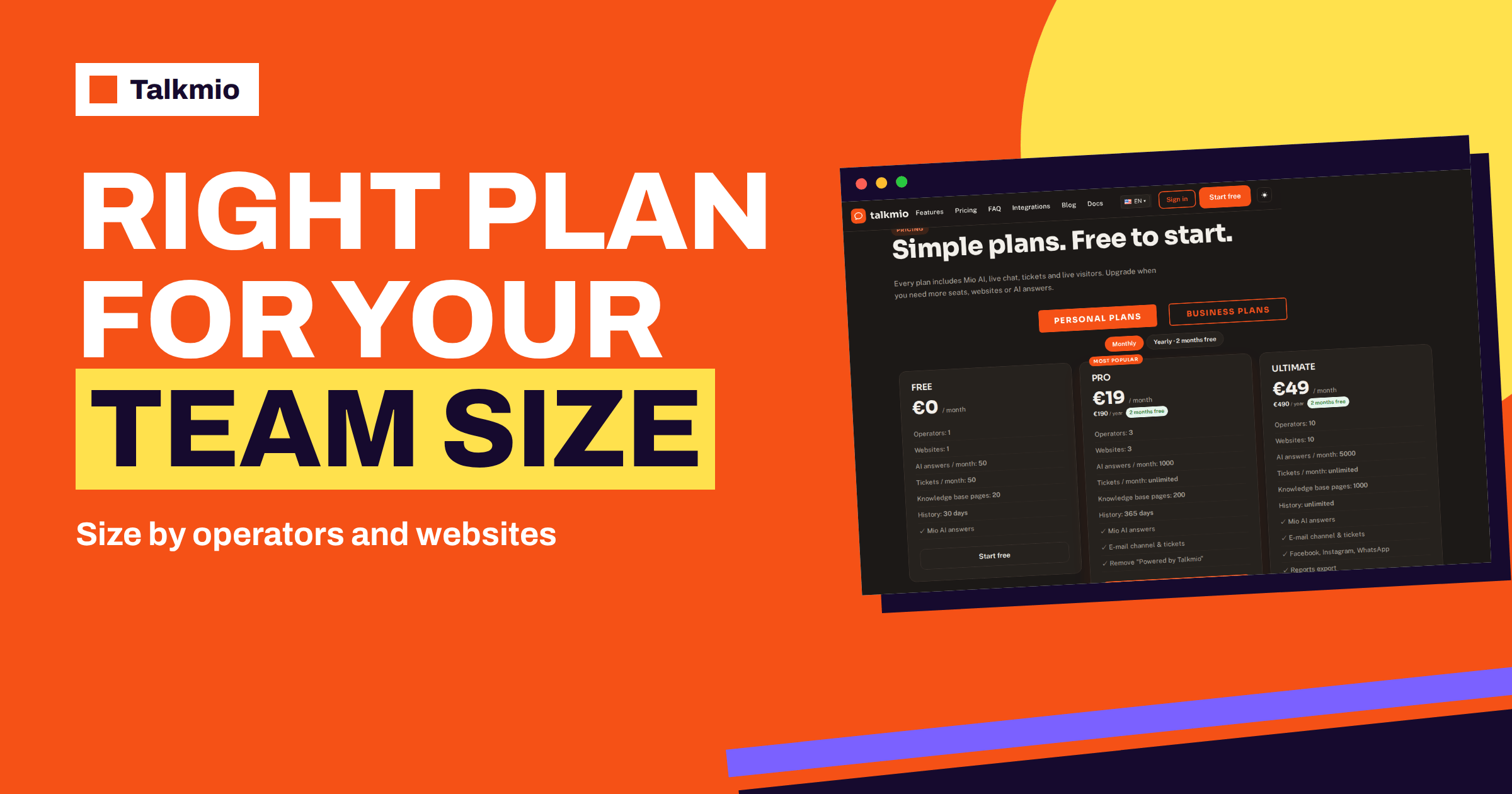
Operators and websites are the two numbers that decide most plan choices in Talkmio, and they move together: 1 and 1 on Free, 3 and 3 on Pro, 10 and 10 on Ultimate, and 50, 100 or 500 of each on the Enterprise tiers. That pairing has a practical consequence that is easy to miss. If you have two people and five websites, the number of websites decides the plan; if you have fifteen people and two websites, the number of people does. This guide shows how to count your real operators and websites, how to check coverage by hours instead of headcount, what to confirm in your own account and how to choose the plan that fits without paying for seats you will never use.
The limits come from the live pricing page. The documentation describes the roles and the website settings, but it does not spell out every detail of how seats and sites are counted, so this guide tells you what to check in your own account instead of guessing.
The Operators and Websites Limits by Plan
The pricing page lists the same number for operators and for websites on each plan. The table adds the monthly list price and the price per seat if you used every seat, which is simple division and shows how the unit cost falls as the plan grows.
| Plan | Operators | Websites | Monthly price | Price per operator if all seats are used |
|---|---|---|---|---|
| Free | 1 | 1 | €0 | €0 |
| Pro | 3 | 3 | €19 | about €6.33 |
| Ultimate | 10 | 10 | €49 | €4.90 |
| Enterprise 50 | 50 | 50 | €149 | about €2.98 |
| Enterprise 100 | 100 | 100 | €349 | about €3.49 |
| Enterprise 500 | 500 | 500 | €999 | about €2.00 |
The per-seat figures are a way of comparing plans, not a price list; you pay the plan price, whatever number of seats you use. They do show that a plan is cheapest per person when it is full, and most expensive when it is half empty.
What Counts as an Operator
An operator is a person who works in the Talkmio Inbox. The documentation describes three roles: Agents handle conversations, Admins also manage websites, Mio, channels and settings, and the Owner handles billing. Each member sets a status of Online, Away or Offline. Seats depend on your plan, and you invite people under Team.
Count operators by asking who will actually sign in. Include everyone who answers hand-offs and tickets, everyone who manages settings and content, and a backup for holidays. Do not include people who only need the results; a monthly summary can be shared without a seat. Whether the Owner uses a seat in the plan count is a detail to check on the Team page of your account, because the pricing page and the documentation do not say. If you are close to a limit, that one answer can change the plan.
Count Your Operators in Four Steps
Step 1: Estimate the Human Workload
Mio answers what your content covers, so people handle hand-offs, complaints, order questions and anything that needs judgment. Estimate that load, not the total number of chats. If Reports show, for example, 40 conversations a day and 25 per cent of them need a person, that is ten conversations. If each takes six minutes, the daily human workload is an hour. These numbers are an illustration, not a prediction; use your own from Reports, after a few weeks of real use.
Step 2: Add Time for Other Work
The Inbox is not the only task. People also write content, review hand-offs, handle tickets and answer e-mail. A person who spends an hour in conversations may also spend an hour improving the knowledge base. Add this time to the estimate.
Step 3: Check Coverage by Hours
Headcount is not coverage. Three people who work the same hours cover the same hours as one. Open Reports and read the busiest hours in your time zone, then compare them with who is online. The queueing theory behind staffing, such as the Erlang unit used in call centres, shows that a team needs a margin above the average load to avoid waits at peaks. For a small team, a simple margin of one extra person during the busiest hours is a practical start.
Step 4: Add a Backup
People fall ill and take holidays. If the business depends on one person who is the only operator, plan for who covers. A backup operator also protects the Owner’s time. Our guide to how to staff a small support team explains how to plan shifts.
Count Your Websites
A website in Talkmio is a site that you add under Websites, with its own site key and its own widget settings: colour, position, assistant name, welcome and offline texts, pre-chat form, language and business hours. Count each site on which you want the chat to appear. A shop, a blog and a separate landing page are three websites if you add them separately. Think about which sites really need chat. A site with ten visits a day probably does not need a chat of its own, and a site that is one page of another site may be covered by the same snippet, because the snippet goes on every page of the site where you paste it.
Do not spend a website slot on a test copy of your site. Test in a private window on the real site, as the documentation suggests, and keep your slots for sites that serve visitors.
What to Confirm in Your Own Account
The public pages say less about how several websites work together than many buyers expect. Before you rely on a multi-site setup, open a free account and check these points, or ask support.
- Whether the knowledge base is shared between your websites or kept separately for each.
- Whether conversations from all websites appear in one Inbox and how you can tell which site a conversation came from.
- Whether business hours and widget texts are set for each site.
- Whether your instructions apply to all sites or can differ.
- How the monthly AI answers are counted: the pricing page lists one allowance per plan.
Write down the answers. They decide how you organise content and how you brief your team. Our guide to live chat for multiple websites describes the general ways to organise several sites.
Seats and Sites Move Together: Four Typical Cases
Because the two limits rise together, the plan is set by the larger of your two needs. The table shows four common cases.
| Your situation | Operators needed | Websites needed | Plan that fits |
|---|---|---|---|
| One person, one site | 1 | 1 | Free |
| Two people, one shop and one blog | 2 | 2 | Pro |
| Two people, five client sites | 2 | 5 | Ultimate, because of the sites |
| Eight people, two sites | 8 | 2 | Ultimate, because of the people |
If you are just over a limit, check whether you can reduce the need before you pay for the next tier: merge two small sites into one, or share a seat between two part-time people on different shifts. If you cannot, the next tier is the right choice. Check the AI answers, knowledge base pages and history limits as well, since they rise with the plan and may justify it on their own.
A Worked Example: A Ten-Person Company With Four Sites
A small company has ten employees, a main website, a web shop, a separate help site and a campaign site, so four websites. Only four people will answer customers: two in sales, one in support and one marketing colleague who also manages content. The company would be tempted to buy the plan with the most seats, but the arithmetic is simpler. Four operators and four websites do not fit Free or the three seats of Pro; the next tier is Ultimate, with ten operators and ten websites. The six unused seats are not wasted if they give room to grow, but the company should be honest about the reason for the choice: it is the number of operators and websites that forced the upgrade, not a need for ten people.
Before paying, the company checks two things. First, can it reduce its needs? It could merge the campaign site into the main site and ask one salesperson to share a seat with the marketing colleague, which would bring the numbers to three and three, within Pro. Second, does it need anything else from Ultimate? It reads the list and finds that it wants Facebook and WhatsApp channels and a monthly report export, which are listed on Ultimate and above. With those needs, Ultimate is justified on features and not only on seats. The decision becomes clear because the company asked what each limit was for.
The lesson is general. Start from the real number of people and sites, test whether you can reduce them honestly, and then look at what else the next tier gives you. If the extra features matter, the larger plan is good value; if only the limit matters, look for another way first.
Roles and Permissions for a Growing Team
As the number of operators grows, roles matter more. Keep the Admin role for the few people who manage websites, Mio, channels and settings, and give the Agent role to everyone who only answers. The Owner, who handles billing, should be a person who stays with the company. Each member should set a truthful status, so that visitors and colleagues know who is available. Our guide to agent and admin roles in live chat goes further, and the guide on routing chats to the right agent helps you share the work.
When to Move Up and When to Stay
- Move up when a real colleague cannot get a seat, or when a real site cannot be added.
- Stay when the limit is only a hypothetical future need; you can upgrade when it becomes real.
- Move up before a peak season if you know that extra operators or sites will be needed.
- Move down when seats stay empty for months and nobody expects growth.
The 14-day trial on paid plans lets you test the next tier with real people and sites before you commit, and the pricing page shows the current limits and prices. The study of workforce management teaches that the right size is a moving target; review it every quarter, not once.
Frequently Asked Questions
How many operators and websites does each Talkmio plan include?
According to the pricing page, Free includes 1 operator and 1 website, Pro 3 and 3, Ultimate 10 and 10, and the Enterprise plans 50 and 50, 100 and 100, or 500 and 500. The two numbers rise together on every plan.
What is an operator in Talkmio?
An operator is a team member who works in the Inbox. The documentation describes Agents who handle conversations, Admins who also manage websites, Mio, channels and settings, and the Owner who handles billing. Each member sets a status of Online, Away or Offline.
Can I buy extra websites without extra operators?
The pricing page lists operators and websites together within each plan, and does not describe separate add-ons. If you need more sites than your plan includes, compare the next tier, and ask support if you want to know about other options.
Do all my websites share one knowledge base?
The public pages do not say. Check in your own account, or ask support, whether the knowledge base is shared between sites or separate, and how conversations from several sites appear in the Inbox. Write down the answer before you plan a multi-site setup.
How do I know how many operators I need?
Estimate the human workload from Reports, which show conversations, hand-offs and the busiest hours. Remember that Mio handles what your content covers, add time for content work, check that your team covers the busiest hours and plan a backup for holidays.
Should I use a website slot for testing?
No. Test in a private browser window on your real site, as the documentation recommends, and keep website slots for sites that serve visitors. Use Try Mio to test answers before you install the chat, which needs no website slot at all.
The Bottom Line
Operators and websites rise together in every Talkmio plan, so your plan is set by the larger of your two needs. Count real people who will sign in, real sites that need the chat and the hours you must cover, confirm the multi-site details in your own account and upgrade when a real need appears. Start free with Talkmio, add your first website and invite your first colleague before you decide on a bigger plan.