
 Lietuviškai
 Deutsch
 Français
 Русский
 Español
 Polski
 Italiano
 Українська
 Čeština
 Português
 日本語
 Latviešu valoda
 Eesti
 Magyar
 Bahasa Indonesia
 Türkçe
 हिन्दी
 Ελληνικά
 العربية
 ไทย
 Tiếng Việt
 Română
 Bahasa Melayu
 বাংলা
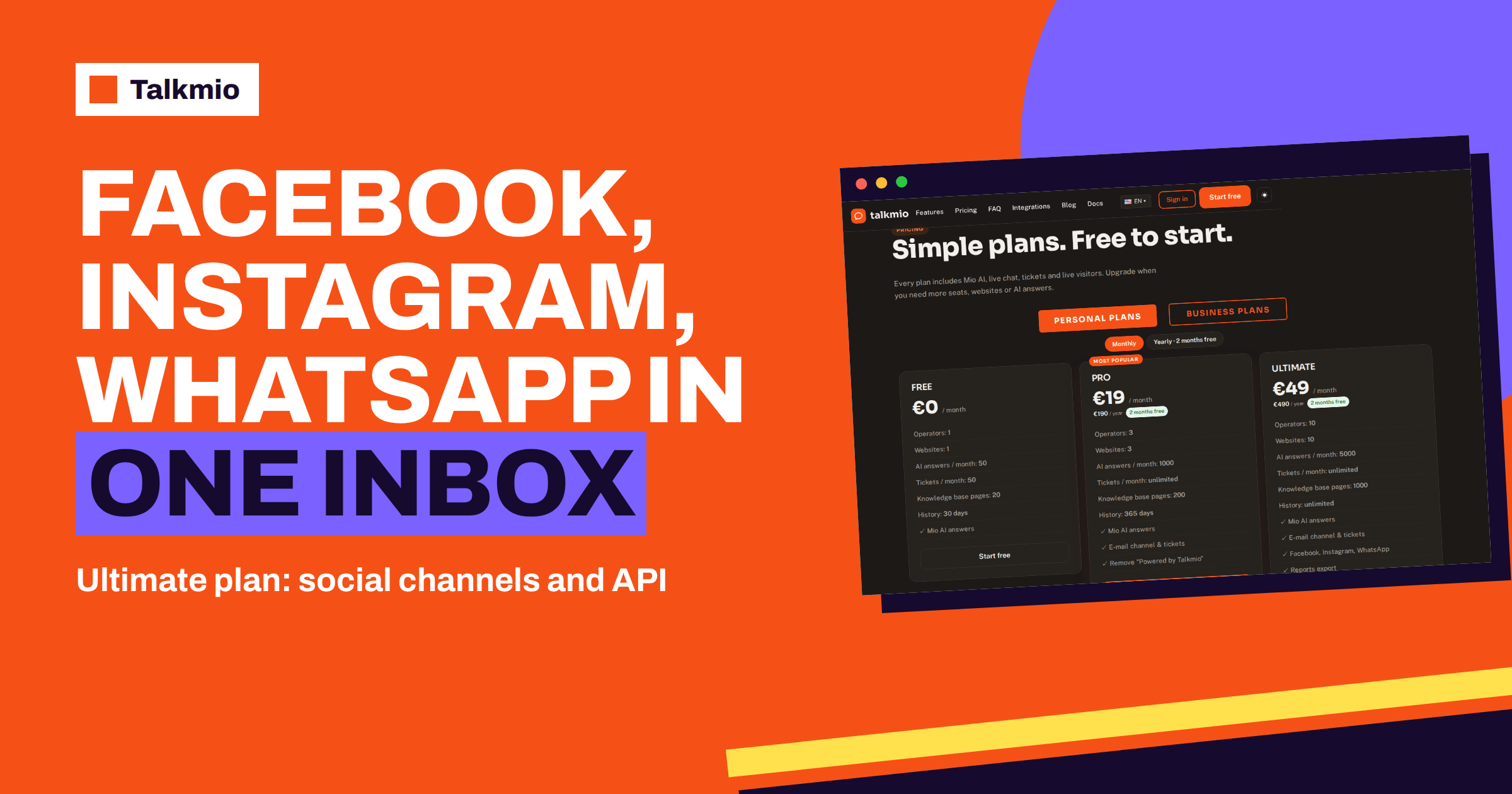
The Talkmio Ultimate plan is the step from a website chat to a multi-channel support desk. For €49 a month, or €490 a year, it keeps everything in Pro and adds ten operators, ten websites, 5000 AI answers a month, 1000 knowledge base pages, unlimited history, Facebook, Instagram and WhatsApp channels, reports export and API access. This guide explains what each addition means in daily work, how to connect the social channels according to the documentation, how to use the export, what to ask about the API and how to tell whether the Talkmio Ultimate plan is worth it for your team.
Figures come from the live pricing page and the documentation. In older parts of the documentation, the plan that is now called Ultimate appears under its former name, Business. They are the same tier, and the pricing page is the source for current names and prices.
What the Talkmio Ultimate Plan Adds to Pro
Comparing Ultimate with Pro shows where the extra money goes. The table lists the differences listed on the pricing page.
| Feature | Pro (€19) | Ultimate (€49) |
|---|---|---|
| Operators | 3 | 10 |
| Websites | 3 | 10 |
| AI answers per month | 1000 | 5000 |
| Knowledge base pages | 200 | 1000 |
| History | 365 days | Unlimited |
| E-mail channel and tickets | Yes | Yes |
| Facebook, Instagram, WhatsApp | No | Yes |
| Reports export | No | Yes |
| API access | No | Yes |
| “Powered by Talkmio” removed | Yes | Yes |
Two kinds of change are mixed here. Some are bigger limits, such as operators, websites, answers, pages and history. Others are new abilities: the social channels, the export and the API. If you need only a bigger limit, check first whether Pro with careful use would do. If you need one of the new abilities, Ultimate is the cheapest way to get it.
Ten Operators and Ten Websites
With ten seats, a team can split into roles. The documentation describes Agents who handle conversations, Admins who also manage websites, Mio, channels and settings, and the Owner who handles billing. A sensible structure for a growing company has one Owner, one or two Admins and the rest Agents, so that the people who change settings are few and the people who answer visitors are many. Each member sets a status of Online, Away or Offline, and ten people on staggered shifts can cover a long day.
Ten websites suit an agency with several clients, a company with brand and product sites or a shop with regional stores. Each site has its own site key and knowledge base, while all conversations arrive in one Inbox. Assign conversations to the right person, use priority from Low to Urgent and set statuses of Open, Pending, Solved or Closed, so that a bigger team does not trip over itself. Our guide to routing chats to the right agent offers practical rules.
Permissions and Hygiene for a Bigger Team
The more people have access, the more it matters who can change what. Keep the Admin role for the few who manage websites, Mio, channels and settings, because a changed instruction or a removed source affects every conversation. Give the Agent role to everyone who only answers. The Owner, who handles billing, should be a person who stays with the company, not a contractor who may leave. When someone leaves, remove their seat on the same day.
Agree a few habits as a team. Who takes unassigned conversations? How are urgent ones marked? What goes into an internal note rather than a reply? A one-page agreement saves many small arguments. Run a short weekly review of hand-offs, so that the people who answer tell the people who write content what is missing. In a team of ten, this feedback loop is what keeps Mio improving instead of drifting.
5000 AI Answers and 1000 Pages
The Talkmio Ultimate plan raises the AI answers to 5000 a month and the knowledge base to 1000 pages. A larger allowance does not fix a messy knowledge base, though. With more room, the temptation is to add everything, and the result is contradictions. Keep one authoritative page for each topic, remove outdated pages, and use Re-read after every change. Use Try Mio to test important questions, since it shows which knowledge pieces were used. As volume grows, watch the Mio usage report and the Subscription page every month, and keep a margin, since a campaign can double a normal week.
Connecting Facebook and Instagram
The documentation describes the steps in the Channels section. Choose “Connect with Facebook”, which links your Facebook Page and the Instagram business account attached to it. After that, messages from Messenger and Instagram arrive in the Inbox, and your replies go back to the same channel. Mio answers them like website chats, using the same knowledge base and the same instructions, and hands over to a person in the same four situations.
Before You Connect
- Make sure you have admin rights on the Facebook Page.
- Check that your Instagram account is a business account and is attached to that Page.
- Decide who in your team will handle these conversations and give them the right role.
- Review your business instructions, since social visitors write shorter and more casually than website visitors.
Our guide to connecting Messenger and Instagram walks through the screens, and the principle is simple: one Inbox, many doors.
Connecting WhatsApp Business
For WhatsApp, the documentation says that WhatsApp Business connects with the phone number ID and a permanent token. Both come from your WhatsApp Business setup with the provider, so allow time for that part, which depends on the provider and not on Talkmio. Once the connection is made, messages arrive in the Inbox, Mio answers them from your content and your replies return to WhatsApp. Our guide to connecting WhatsApp Business to live chat explains the preparation.
Plan the first weeks carefully. Test with your own number before you announce the channel. Check how Mio answers short, informal messages, such as a single word or an emoji, and add question and answer pairs for the common ones. Decide your hours: visitors expect fast replies on messaging channels, and an unanswered message feels longer there than on a website.
How Mio Behaves on Social Channels
Mio uses one knowledge base for all channels, which is a strength: you maintain content in one place. It also means that mistakes spread to every channel at once, so test before you connect. Three practical points help.
- Keep answers short. Social messages are read on phones. If Mio answers at length, adjust the business instructions to ask for shorter replies.
- Set the hand-off clearly. The same triggers apply: Mio cannot answer from your content, the visitor asks for a person, the visitor complains or asks about a specific order.
- Watch the channels report. Reports show where conversations start, so you can see which channel brings the most work.
For a wider view of the pros and cons of messaging channels against a website chat, see our guide to WhatsApp and Instagram live chat.
Reports Export: From Screen to Spreadsheet
The Reports section covers conversations per day, the share answered by Mio alone, hand-offs, first-reply time, ratings, busiest hours in your time zone, channels, countries, team performance and Mio usage. The documentation mentions CSV export, which on today’s pricing page belongs to Ultimate and above. A CSV file opens in any spreadsheet, so you can build monthly reviews, client reports and year-over-year comparisons. For agencies the export is a sales tool: a clear report shows a client what the chat does. Our guide to Talkmio reports export shows how to build a monthly review.
Remember that exports can contain personal data. Store files securely, share summaries and delete what you no longer need.
API Access: What to Ask Before You Plan
API access is listed on the pricing page for Ultimate and above. The public documentation does not describe the endpoints, so this article does not either, and you should not plan a project around details that you have not seen. Before you commit, ask support for the current API documentation, and check what it can do: reading conversations, sending messages, managing contacts or something else. Think about the use cases that matter to you, for example sending conversation data to a spreadsheet or a CRM. An application programming interface is a way for software to talk to software, and its value depends entirely on which actions it exposes. Our guide to the live chat API explains the general ideas.
Unlimited History: Keep It Useful and Lawful
On Ultimate and above, history is unlimited. That helps with long-term analysis and with returning customers whose earlier conversations are still there. It also means data accumulates. The documentation says that you can export or delete your data at any time by writing to support. Decide how long you really need to keep conversations, write it in your privacy policy and review it once a year.
Is the Talkmio Ultimate Plan Worth It?
Use the following questions as a guide. If you answer yes to two or more, Ultimate is likely to pay for itself.
- Do customers write to you on Facebook, Instagram or WhatsApp, or would they if you answered?
- Do you need more than three people in the Inbox?
- Do you run more than three websites?
- Do you need monthly reports in a spreadsheet for managers or clients?
- Do you plan to connect Talkmio to another system through the API?
- Is your volume of AI answers likely to pass 1000 a month?
If the answers are all no, Pro is probably enough. If one answer is yes and the others are no, ask whether that single need justifies the difference in price, and consider whether a simpler workaround would do for now. A small team that only needs WhatsApp, for example, should still compare the cost of the plan with the value of the conversations that channel will bring. Count the likely number of messages, estimate how many would lead to a sale or save a phone call, and compare the result with the monthly price. The pricing page shows the current prices, including the 14-day trial on paid plans.
Roll Out Ultimate in Two Weeks
| When | Task |
|---|---|
| Week 1, days 1 to 2 | Start the trial or upgrade; review roles and invite the team |
| Week 1, days 3 to 4 | Check content and instructions; test answers in Try Mio |
| Week 1, day 5 | Connect Facebook and Instagram; test with a private account |
| Week 2, days 1 to 2 | Connect WhatsApp Business; test with your own number |
| Week 2, days 3 to 4 | Read the first conversations; add content for gaps |
| Week 2, day 5 | Export the first report; set the monthly review |
Frequently Asked Questions
How much does the Talkmio Ultimate plan cost?
According to the pricing page, Ultimate costs €49 a month or €490 a year, which includes two months free. Prices are in euros and VAT is added at checkout. Paid plans offer a 14-day trial, so you can test the plan before paying.
Is Ultimate the same as the Business plan?
Yes. The plan that was previously called Business is now called Ultimate. Some parts of the documentation still use the old name, but the pricing page shows the current name, price and limits, and is the source to trust.
Which channels does Ultimate add?
Facebook, Instagram and WhatsApp. Messenger and Instagram connect through Channels with a Facebook Page and its attached Instagram business account, and WhatsApp Business connects with the phone number ID and a permanent token. Messages arrive in the same Inbox.
Does Mio answer on Facebook, Instagram and WhatsApp?
Yes. The documentation says messages from channels arrive in the Inbox, Mio answers them like website chats, and your replies go back to the same channel. Mio uses the same knowledge base and instructions, so test them before you connect.
What can I do with the API?
The pricing page lists API access for Ultimate and above, but the public documentation does not describe the endpoints. Ask support for the current API documentation before you plan an integration, and check that it supports the actions you need.
Who should stay on Pro instead?
Teams of up to three people with up to three websites, who answer mainly on their own site and by e-mail and need no exports or API, can stay on Pro. Upgrade when you need social channels, more seats or sites, or more answers.
The Bottom Line
The Talkmio Ultimate plan makes sense when your customers reach you on more than one channel, when your team has outgrown three seats or when you need reports and an API to work with other systems. Check each addition against a real need, connect the channels one at a time and test before you announce them. Start free with Talkmio, try a paid plan for 14 days and decide with your own numbers.