
 Lietuviškai
 Deutsch
 Français
 Русский
 Español
 Polski
 Italiano
 Українська
 Čeština
 Português
 日本語
日本語 Latviešu valoda
 Eesti
Eesti Magyar
 Bahasa Indonesia
 Türkçe
 हिन्दी
 Ελληνικά
 العربية
 ไทย
ไทย Tiếng Việt
 Română
 Bahasa Melayu
 বাংলা
বাংলা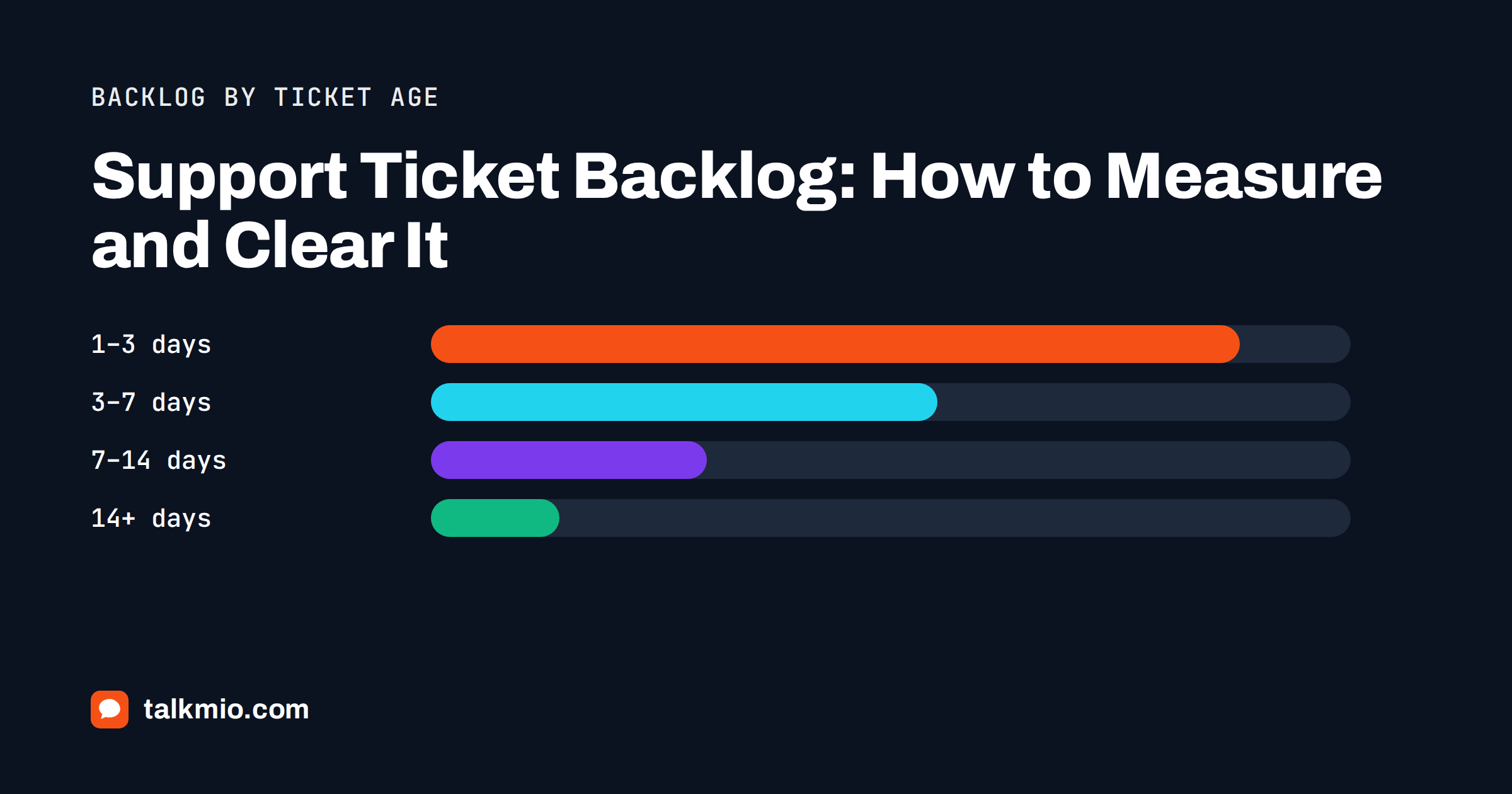
A support ticket backlog is the pile of customer requests that are still open after they should have been solved. Every team has open tickets; a backlog is the part that has aged past your response or resolution target. Left alone, it grows by itself: customers who wait chase you again by chat and e-mail, creating duplicates, and agents spend their day apologising instead of solving. This guide shows how to measure a support ticket backlog properly, find out why it formed, clear it in a focused week and keep it from coming back.
Open Tickets vs a Real Backlog
Teams often treat every open ticket as backlog. That makes the number look frightening and hides the real problem. Separate three groups:
- Work in progress: tickets opened recently and still within your target time. These are normal.
- Waiting on the customer or a third party: tickets you have answered and are waiting for a reply, a courier or a supplier. These should sit in a Pending status, not in your active queue.
- Backlog: tickets that are open, waiting on your team and older than your target. This is the number to manage.
If you do not have a written target yet, set one first. Our guide to setting realistic SLA response targets explains how to choose numbers your team can meet.
How to Measure a Support Ticket Backlog
Five numbers tell you almost everything. Track them weekly, on the same day, so trends are visible.
| Metric | How to calculate it | What it tells you |
|---|---|---|
| Backlog size | Open tickets waiting on your team and older than target | How much overdue work exists right now |
| Age distribution | Backlog split into buckets: 1–3 days, 3–7 days, 7–14 days, 14+ days | Whether old tickets are being forgotten |
| Inflow | New tickets created per day or week | Demand on the team |
| Outflow | Tickets solved per day or week | Team capacity in practice |
| Backlog in days | Backlog size divided by average daily outflow | How long clearing would take if nothing new arrived |
The one relationship worth remembering
A result from queueing theory called Little’s law says that, over time, the average time an item spends in a system equals the number of items in the system divided by the rate at which they leave. For support: if 120 tickets are open and you solve 40 a day, the average ticket waits about three days. You cannot cut waiting time without either reducing open tickets or raising the rate you solve them. Working harder on the newest tickets does neither.
Inflow minus outflow
If inflow is higher than outflow for several weeks, the backlog will grow no matter how hard people work. A one-off clean-up will only buy time. You need either more capacity, fewer incoming tickets, or both.
A Worked Example With Numbers
Imagine a three-person team at an online shop with a 24-hour resolution target. On Monday morning the inbox shows 210 open tickets. That number sounds alarming, but it is not the backlog.
- 60 tickets were created in the last 24 hours: normal work in progress.
- 55 are waiting for the customer or the courier and belong in Pending.
- 95 are open, waiting on the team and older than 24 hours: this is the support ticket backlog.
The team solves about 45 tickets a day, and 50 new ones arrive. The backlog in days is roughly two (95 ÷ 45), and because inflow is slightly higher than outflow, it will keep growing by about five tickets a day. The age buckets show 40 tickets at 1–3 days, 35 at 3–7 days and 20 older than a week. Those 20 are the ones generating angry follow-ups.
The plan follows directly: move the 55 waiting tickets to Pending, handle the oldest 20 first, and find which topic is driving the extra five tickets a day.
Why Backlogs Form
Before clearing the pile, spend an hour finding out how it got there. Sort the backlog by topic and by status history. The usual causes are:
- A seasonal spike: Black Friday, a price change, the start of a school year. Inflow jumps for two weeks and never quite recovers.
- One product or policy problem: a failed shipment batch, a bug, a confusing invoice. Dozens of tickets share one cause.
- Tickets nobody owns: unassigned tickets that each agent assumes someone else will take.
- Waiting on internal teams: tickets stuck with finance, warehouse or developers, with no follow-up date.
- Misused statuses: tickets left Open while waiting for the customer, which inflate the queue and hide what really needs work.
- Absent staff: holidays or sickness without adjusted business hours or cover.
- Channels outside the main inbox: a shared mailbox or social inbox checked “when there is time”.
Each cause needs a different fix. A backlog caused by one shipping problem is solved with one well-written bulk update, not with overtime.
Clearing the Backlog: A Five-Day Plan
A focused week works better than a vague promise to “get on top of things”. Protect the time: fewer meetings, and someone else watching live chat.
Day 1: Sort and clean
- Close tickets that are already solved but were never closed.
- Merge duplicates, where the same customer wrote by chat and e-mail about the same issue.
- Move tickets that are really waiting on the customer to Pending.
- Tag every remaining ticket by topic.
It is common for this step alone to remove a large part of the apparent backlog.
Day 2: Handle clusters
Take the biggest topic groups and answer them together. Write one accurate reply per cluster, personalise the first line and send it to each customer. Fix the underlying page or policy at the same time, so new tickets on that topic stop arriving.
Days 3–4: Oldest first, with priority as a tie-breaker
Work through the remaining tickets from oldest to newest, but pull urgent cases, such as payment failures or safety issues, to the front. Oldest-first sounds obvious, yet teams under pressure tend to answer the newest tickets because they are easier to understand. That keeps the average wait high and the oldest customers angry.
Day 5: Close the loop
- Follow up on every ticket waiting on internal teams, with a named owner and a date.
- Record the new backlog size, age distribution and backlog in days.
- Write down the causes you found and the fix for each.
What to say to customers who waited
Apologise once, briefly and specifically: “Sorry for the slow reply, we had more requests than usual this month.” Then solve the problem in the same message if you can. A long apology without an answer makes the wait feel worse.
Keeping the Backlog From Coming Back
Reduce inflow with answers customers can get themselves
Many tickets are questions already answered on your website that customers could not find. An AI assistant that answers from your pages, and hands over only what it cannot answer, removes those tickets before they are created. Our guide to measuring AI deflection rate shows how to check that the deflection is genuine and not just visitors giving up.
Make overdue tickets visible
Set a response time target and flag anything that misses it. In Talkmio, conversations without a first reply within your target get an “overdue” badge (Settings → Response time target), which makes aging tickets hard to ignore.
Use statuses honestly
Open means “our move”; Pending means “waiting on someone else”; Solved and Closed mean done. A clean status discipline is the difference between a queue you can trust and one you have to re-read every morning.
Limit work in progress
Borrowing from Kanban, cap how many tickets one agent may have open at a time. When the cap is reached, the agent finishes before taking new work. It feels slower and is almost always faster.
A ten-minute daily check
Each morning, look at three things: unassigned tickets, tickets older than target and tickets waiting on internal teams. Assign, escalate or close. Ten minutes a day prevents a lost week later.
Bring every channel into one queue
Backlogs hide in side mailboxes. Forward your support mailbox into the same inbox as chat so e-mail requests become tickets alongside chats; see how to set up an e-mail channel that creates tickets.
When the Backlog Means You Need More Capacity
If inflow has exceeded outflow for more than a month after you removed avoidable tickets, the honest conclusion is that the team is too small for the demand. Options, in rough order of cost:
- Shift working hours to match your busiest periods instead of adding people.
- Let AI answer the repetitive questions around the clock and route only real cases to people.
- Train someone from another team to cover peak days.
- Hire part-time cover for seasonal peaks.
- Hire a full-time agent.
Use your backlog in days and weekly inflow to make the case. “We receive 350 tickets a week and can solve 300” is an argument a manager can act on.
How Talkmio Helps You Stay Ahead
Talkmio turns any conversation into a numbered ticket with priority (Low to Urgent) and status (Open, Pending, Solved, Closed). Inbox filters for Unassigned, Unanswered and Mio replied show where work is stuck, and Reports show conversations per day, first-reply time, the share answered by Mio alone and team performance. Mio answers from your content and hands over what it cannot, which keeps repetitive questions out of the ticket queue. CSV export of reports is included on the Ultimate plan and above, as listed on the pricing page. Talkmio does not replace a full ITSM tool with complex workflows; if you need approval chains or change management, a dedicated help desk is a better fit.
Frequently Asked Questions
What is a support ticket backlog?
A support ticket backlog is the set of open tickets waiting on your team that are older than your response or resolution target. Tickets that are new, or that are waiting for the customer or a third party, are normal work in progress and should not be counted in the backlog.
How do I calculate backlog in days?
Divide the number of backlog tickets by the average number of tickets your team solves per day. If 90 tickets are overdue and you solve 30 a day, the backlog equals three days of work. It shows how long clearing would take if no new tickets arrived, which makes it easy to compare weeks.
What is a healthy ticket backlog size?
There is no universal number. A healthy backlog is small, stable and young: few tickets older than your target, none forgotten for weeks, and weekly outflow roughly equal to inflow. If the backlog grows for several weeks in a row, it is a capacity or content problem, not a bad week.
Should we answer the oldest tickets or the newest ones first?
Work oldest first, but pull genuinely urgent tickets, such as payment failures or safety issues, to the front. Answering the newest tickets first feels productive but keeps the oldest customers waiting longest and raises your average waiting time.
How can AI reduce a support ticket backlog?
An AI assistant that answers from your website and help pages resolves repetitive questions before they become tickets and passes only real cases to people. It also works outside office hours. It does not fix a backlog caused by a product problem, missing staff or tickets stuck with internal teams.
How long does it take to clear a large backlog?
A focused week is usually enough for a small team to clean duplicates, answer clusters in bulk and work through the oldest tickets. If inflow still exceeds outflow afterwards, the backlog will return within weeks, so combine the clean-up with fixes that reduce incoming tickets or add capacity.
The Bottom Line
A support ticket backlog is a measurement problem before it is a workload problem: separate real overdue work from normal open tickets, watch inflow against outflow and track age, not just size. Clear it with a focused week of cleaning, bulk answers and oldest-first work, then keep it small with honest statuses, overdue badges, a daily check and fewer avoidable tickets. Talkmio combines chat, tickets, e-mail and AI answers in one queue so less work arrives and nothing hides; start free at app.talkmio.com.