
 Lietuviškai
 Deutsch
 Français
 Русский
 Español
 Polski
 Italiano
 Українська
 Čeština
 Português
 日本語
 Latviešu valoda
 Eesti
 Magyar
 Bahasa Indonesia
 Türkçe
 हिन्दी
 Ελληνικά
 العربية
 ไทย
 Tiếng Việt
 Română
 Bahasa Melayu
 বাংলা
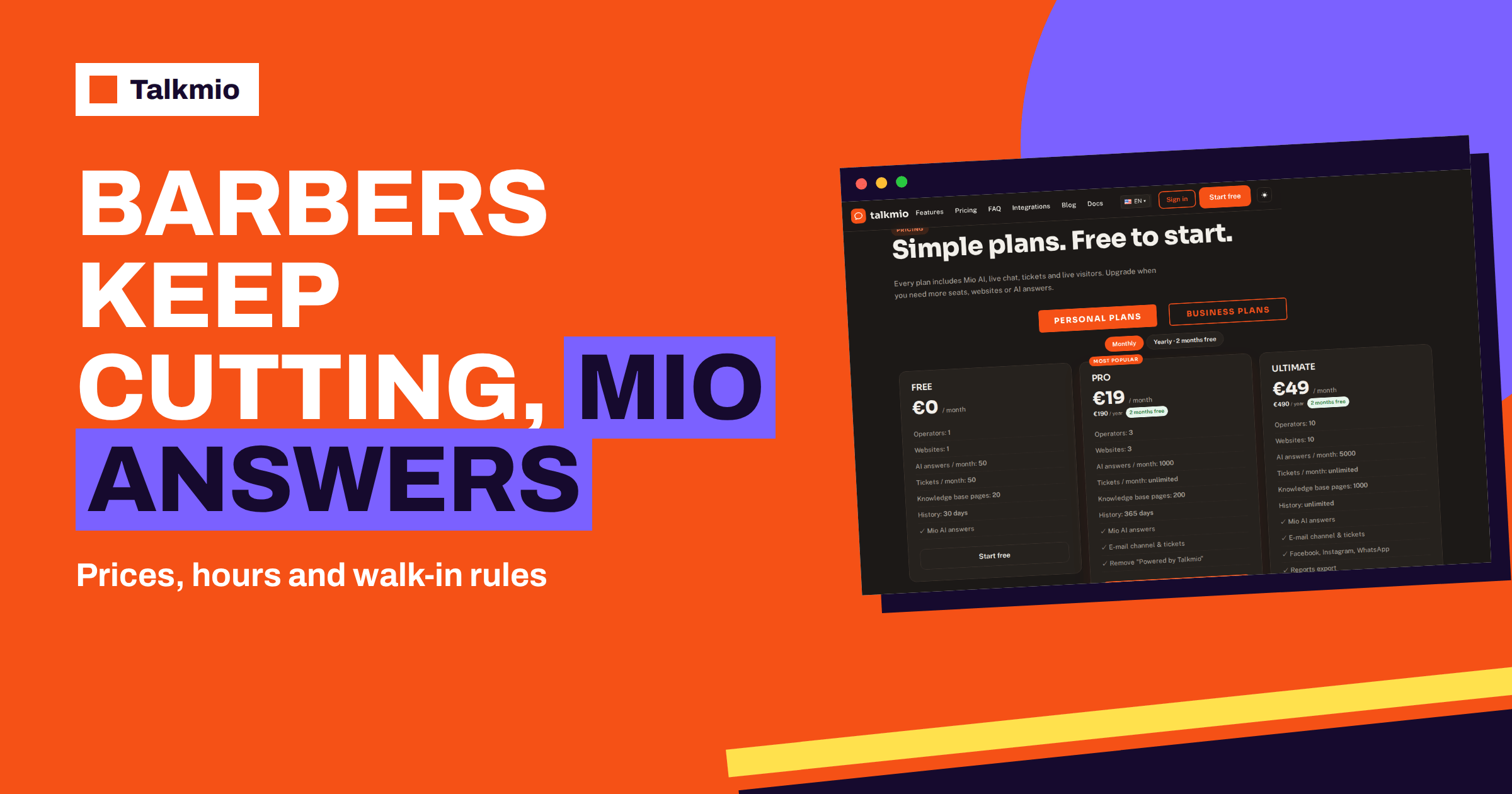
Barbershop chat has one obvious constraint: the person who would answer is holding scissors. A barber cannot stop in the middle of a fade to reply to a message about prices, and yet the questions keep arriving: do you take walk-ins, how much is a beard trim, are you open on Monday, can you cut a child’s hair. This guide shows how to use Talkmio so that Mio, the AI assistant, answers those routine questions from your own pages at any hour, points clients to your booking page for appointments, hands anything special to a person with a clean history and, if you want it, brings Instagram messages into the same Inbox. The aim is simple: fewer interruptions in the chair and fewer clients lost to a competitor who answered first.
Product facts come from the Talkmio documentation and pricing page. The barbershop details are general patterns, and your own services and rules always come first.
Why a Barbershop Chat Is a Special Case
Three things make a barbershop different from an office. The first is that hands are busy and attention belongs to the person in the chair, so interruptions cost quality and goodwill. The second is that many shops mix appointments and walk-ins, so the answer to “can I come now?” depends on the moment. The third is that clients often reach barbers on social media, especially Instagram, where a shop’s work is on display. A chat for such a business has to be quick, short and honest about what it cannot know.
A barbershop chat also has to be cheap in time. A barber has no hour to spend on a tool. The setup below is designed to take an afternoon and then to need a few minutes a day.
What Clients Ask a Barbershop
The questions are short and repeated. The table groups them and suggests who should answer.
| Question group | Examples | Who should answer |
|---|---|---|
| Services and prices | Haircut, beard trim, shave, kids’ cut, combination prices | Mio, from your price page |
| Hours and location | Opening hours, holidays, address, parking | Mio, from your hours and location pages |
| Walk-ins and appointments | Do you take walk-ins? How do I book? | Mio, with a link to your booking page |
| Waiting time now | Is it busy? How long is the wait? | A person, or an honest “we cannot tell from here” |
| Styles and special requests | Can you do this cut? Do you cut curly hair? Do you do colour? | Mio for what you list; a person for the rest |
| Changes and cancellations | Can I move my booking? What if I am late? | Mio for your rules; your booking tool for changes |
| Gift vouchers and products | Vouchers, pomade, shop products | Mio from published information |
Mio answers only from your content and does not invent prices or policies. The documentation lists the situations in which Mio hands the chat to a person: when it cannot answer from your content, when the visitor asks for a person, when the visitor complains or when the visitor asks about a specific order. For a barbershop, a complaint about a haircut is the case to watch: it must reach a human, with the history, as soon as possible.
Barbershop Chat for Walk-ins and Waiting Times: Be Honest
“Is it busy now?” is the question that a chat cannot answer, because the assistant does not see your chairs. Mio reads your content, not your shop floor, and the documentation does not describe a live waiting-time function. Do not pretend otherwise. Write a rule that Mio never estimates a wait, and give it a useful answer instead: you take walk-ins during certain hours, busy times are usually such and such, and the surest way to avoid waiting is to book. State your walk-in policy in plain words on a page. If you use an online booking tool, add the link so that Mio can point to it.
For days when the shop is unusually busy or closed, you can add a short note to the knowledge base, such as “Walk-in slots are full today, booking is recommended”, and use Re-read so that Mio reads it. The documentation says that sources are re-read on demand, so the note takes effect when you refresh it, and it is not a live signal. Remove it the next morning.
Appointments: Point to the Booking Page
Mio answers from content and hands over to people, and the documentation does not describe taking bookings in the chat. So let your booking tool do the booking and the chat do the guiding. Put the booking link on your site and in your content, explain how far ahead clients can book, what the cancellation rule is and what to do if they are late. Then the typical barbershop chat is short: the client asks how to book, Mio explains and gives the link, and the booking happens where your calendar lives. Our guide to live chat appointment booking explains how to guide visitors without double-booking.
Write Prices and Services Plainly
Open Mio AI, then the Knowledge base, and add your website. Mio reads every public page on the same domain. A barbershop’s price page is short and valuable: each service, its price and how long it takes if you state that, with a note on what is included, such as a hot towel or a wash. Add a few question and answer pairs to your barbershop chat in the words of clients: “How much is a skin fade and beard trim?”, “Do you cut children’s hair and from what age?”, “Do you do hair colour?”. If you sell products, add a short list. You can also upload a price list as a PDF, up to 15 MB. Keep one version of each price, and update it the day it changes. Our guide to live chat for beauty salons covers a related business.
A Sample Saturday in the Chat
It is nine on a Saturday morning, and the shop is full. A client who has never been before opens your site and asks if you cut a skin fade and what it costs. Mio answers from your price page. He asks whether he can walk in at noon. Mio explains your walk-in policy, says that Saturday is the busiest day and that booking is the surest way to avoid waiting, and gives the booking link. He books in the booking tool. Meanwhile a second visitor writes that he was unhappy with a cut last week. That is a complaint, so Mio says that a person will reply and asks for an e-mail address, because the team is offline. At closing time you open the Inbox, see the complaint marked for a person, read the history and send a short, honest reply with an offer to fix it.
The first client was served without interrupting a single haircut, and the second was not ignored. Both outcomes come from the same few settings: clear content, short instructions and an honest status. That is the practical value of a barbershop chat in a shop where the best use of a barber’s hands is a pair of scissors.
Instagram and WhatsApp: Where Clients Already Write
Many clients will not open your website; they will send a message on Instagram. The pricing page lists Facebook, Instagram and WhatsApp channels on Ultimate and the Enterprise plans. According to the documentation, the connection is made under Channels with “Connect with Facebook”, which links your Facebook Page and the Instagram business account attached to it. After that, messages arrive in the Inbox, Mio answers them like website chats and your replies go back to the same channel. WhatsApp Business connects with the phone number ID and a permanent token.
That is a real option, but it is a bigger plan, at €49 a month or €490 a year, according to the pricing page. For a one-chair shop, the Free plan or Pro, with the website chat only, may be enough. For a busy shop where most enquiries arrive in Instagram direct messages, the single Inbox may be worth the cost. Weigh it by counting: how many enquiries per week arrive on each channel? Our guide to WhatsApp and Instagram live chat and the one on connecting Messenger and Instagram explain the steps.
When Your Hands Are Busy: Notifications and Quick Replies
You cannot read the Inbox between haircuts, so decide in advance what reaches you. When a chat is handed to a person, it gets a “needs human” badge and you receive a browser notification in the Inbox. If nobody is online, you also receive an e-mail and a push notification on the Talkmio mobile app for iOS or Android. Set your status honestly: Offline while you cut, Online when you are at the desk or on a break. Then read the Inbox at fixed times, for example before opening, at midday and after closing.
When you do reply, be quick. Typing a slash inserts a quick reply, so keep a few: the walk-in policy, the cancellation rule, the address with parking. Suggest drafts a reply from your knowledge base, and Polish fixes grammar and tone. Our guide to live chat canned responses shows how to build the set.
Keep Your Barbershop Chat Short and Casual
A barbershop sounds like a barbershop. The business instructions tell Mio what you sell, which tone to use and what it must never promise, so write them with your shop’s voice: friendly, direct and short, with no corporate phrases. Ask for answers of two or three sentences. Add the rules that matter: never estimate waiting time, never promise a specific barber without checking and always point to the booking page. Test the tone in Try Mio, and shorten anything that sounds like a letter. If your clients include tourists or expats, remember that Mio replies in the visitor’s language, including Lithuanian, English, German, Polish, Russian, Spanish and French, and 30+ others.
Test, Then Choose a Plan
Try Mio shows the answer, which knowledge pieces were used and how long it took. Test twelve questions as clients would type them: prices of each service, hours on Monday, walk-ins on Saturday, booking, kids, colour, cancellation and a complaint. Fix gaps and use Re-read. Then open your site in a private window on a phone, ask for a person and check what arrives in the Inbox and on the mobile app. A single-chair shop can start a barbershop chat on the Free plan, with one operator, one website, 50 AI answers a month, 20 knowledge base pages and 30 days of history. A shop with several barbers, or one that wants a year of history to see its busy seasons, will look at Pro, which has three operators, 1000 AI answers a month and the e-mail channel. The pricing page shows current plans, and the overview of the barber trade and of the hairdresser reminds us that this is a business of regulars: a chat that answers fast keeps them regular.
Frequently Asked Questions
Can Mio tell clients how long the wait is?
No. Mio reads your content, not your shop, and the documentation does not describe a live waiting-time function. Write a rule that it never estimates a wait, state your walk-in hours and busy times on a page, and point clients to booking if they want to avoid waiting.
Can Mio book appointments?
The documentation describes Mio as answering from your content and handing over to people, not booking. Keep your booking tool for appointments, put the link in your content, and let Mio explain how to book and what your cancellation rule is.
How do I stay on top of messages while cutting hair?
Set your status to Offline while you work. Mio answers from your content, and hand-offs reach you as a badge in the Inbox, with an e-mail and a push notification on the mobile app if nobody is online. Read the Inbox at fixed times each day.
Can I connect Instagram messages?
Yes, on Ultimate and the Enterprise plans. Under Channels, Connect with Facebook links your Page and its attached Instagram business account. Messages then arrive in the Inbox, Mio answers like on the website and your replies return to Instagram.
What should Mio never do in a barbershop chat?
Write rules that it never estimates waiting time, never promises a specific barber or slot, never invents prices and hands complaints to a person. Test them in Try Mio, and repeat the test whenever you change your prices or policies.
Which plan fits a small barbershop?
A single chair can start on Free, with one operator, one website and 50 AI answers a month. Choose Pro for several barbers or more answers, and Ultimate if you want Instagram and WhatsApp in the Inbox. Paid plans offer a 14-day trial.
The Bottom Line
A barbershop chat should answer prices, hours and walk-in rules while you cut, point clients to your booking page, be honest about waiting times and hand complaints and special requests to a person. Write short answers in your shop’s voice, read the Inbox at fixed times and consider Instagram if that is where your clients write. Start free with Talkmio, add your price page and test twelve client questions in Try Mio before your busiest day.