
 Lietuviškai
 Deutsch
 Français
 Русский
 Español
 Polski
 Italiano
 Українська
 Čeština
 Português
 日本語
 Latviešu valoda
 Eesti
 Magyar
 Bahasa Indonesia
 Türkçe
 हिन्दी
 Ελληνικά
 العربية
 ไทย
 Tiếng Việt
 Română
 Bahasa Melayu
 বাংলা
If you answer chats by hand, you know the pattern: the same ten questions arrive again and again, they arrive at the least convenient times, and the rare question that really needs you gets lost between them. This article compares one imaginary week of a small shop’s chat in two ways, answered by hand and answered with Mio, the AI assistant in Talkmio. The comparison is honest: it shows what Mio takes over, what it cannot, what you still must do and where doing it by hand is the better choice.
The numbers in the example are invented for illustration, and they are labelled as such. The product facts come from the Talkmio documentation and the pricing page, and they are the only claims made about the product.
The Week We Compare
Take a small online shop with one owner and a part-time helper. During one week, visitors start sixty chats. This is an illustration, not a statistic. Of those, imagine that about forty are repeated questions with an answer on the website: delivery times, returns, opening hours, how to pay, sizes. Perhaps fifteen need a person: a specific order, a complaint, a custom request. About five are noise: tests, spam or a visitor who leaves after the greeting. The split will differ for your business, but most shops find the same shape: a large block of repeated questions, a smaller block that needs judgement and a thin slice of nothing.
| Part of the week | Answer chats by hand | With Mio |
|---|---|---|
| Repeated questions in working hours | You or the helper reply, interrupting other work | Mio replies from your pages; you see it in the Inbox |
| Repeated questions at night and weekends | Wait until someone is back, or no reply | Mio replies at once from your content |
| Order questions and complaints | You reply | Mio hands the chat to you, with the history |
| Visitors who write in other languages | Guess, translate by hand or ignore | Mio replies in the visitor’s language from your content |
| Knowing what visitors ask | Memory and scrolling | Filters and reports in the Inbox |
| Tone and judgement | Yours, every time | Yours for the hard cases; Mio follows your instructions for the rest |
Where It Is Better to Answer Chats by Hand
Start with the cases where the manual way wins, because they are real. A visitor who is angry about a late parcel wants a human, and so does a buyer who needs a custom quote or a client you have known for years. Anything that depends on judgement, a favour, a discount or a fact that is not written down belongs to you. Mio is built to hand these over: the documentation says it passes the chat to a person when it cannot answer from your content, when the visitor asks for a person, when the visitor complains or when the visitor asks about a specific order. Do not try to turn those cases into automation.
There is also an argument for answering by hand when you have almost no visitors. If five people write to you in a month, the setup time is better spent on something else. The Free plan costs nothing, but your time has a price, and tuning an assistant for five chats a month is a poor use of it.
Where Mio Takes the Load
The repeated questions are the heart of it. Mio reads your website, FAQ and the documents you upload, and answers only from that content, so it does not invent prices or policies. The answer to “how long does delivery take?” is the same on Monday morning and on Saturday night, and Mio gives it on both. You pay the cost once, when you write the page, instead of each time a visitor asks. Our guide to repeat questions and how Mio answers them shows how to find the questions worth writing down.
Night, Weekends and Time Zones
Hand answering depends on someone being awake. Mio does not, so questions that arrive outside your hours still get an answer from your pages, and questions Mio cannot answer wait in the Inbox for you. When your whole team is offline, the documentation says visitors are asked for an e-mail before their first message and your reply from the Inbox goes out as an e-mail, so nothing is lost. Our guide to website chat at night shows how this looks in practice.
Languages
If you answer chats by hand, a message in a language you do not read is a problem. Mio replies in the language the visitor writes in, including Lithuanian, English, German, Polish, Russian, Spanish and French and 30 others, according to the documentation, and your handed-over conversations can be translated in the Inbox with the Translate button.
What You Still Do With Mio
An assistant is not a replacement for your attention; it changes where the attention goes. With Mio you do four things that the manual way did not need. First, you write down the facts: a page for delivery, one for returns, one for prices. Second, you write business instructions, which tell Mio what you sell, which tone to use and what it must never promise. Third, you test in Try Mio before visitors do, looking at the answer, the knowledge pieces used and the time taken. Fourth, you read what Mio did: in the Inbox, the Mio replied filter shows the conversations the assistant handled, and a weekly look catches a wrong or outdated answer. Our guide to AI chatbot instructions shows what to write in the second step.
This work is front-loaded. The first week takes real effort, the second less and later weeks only a short review. If the manual way costs you twenty minutes a day in interruptions, and the assistant costs you two hours at the start and a quarter of an hour a week, the maths improves each week. Your own numbers will differ, so measure your own before you decide.
The Same Week, Replayed
Now replay the illustrative week. On Monday, the owner is packing orders, and a visitor asks about returns. By hand, the owner stops, wipes her hands and types an answer, or answers in the evening. With Mio, the visitor has the answer in seconds, and the owner sees the conversation later. On Wednesday night, a visitor from another country asks in German whether you ship to Austria. By hand, the message waits; with Mio, the answer arrives from your shipping page. On Thursday, a customer writes angrily about a damaged item. By hand and with Mio, this is for the owner, but with Mio she opens the Inbox, sees the “needs human” badge and the full history, and replies with context. On Saturday, a buyer asks for a bulk discount. That is a decision, so Mio hands it over. Forty answered by Mio, fifteen answered by a person, five ignored: the owner’s week has about a quarter of the interruptions.
Notice what the example does not claim. It does not say that Mio answers every question or that the share is the same for you. It says that the shape of the work changes, from many small interruptions to a few real conversations, and that the change is visible in your own reports: the share answered by Mio alone, hand-offs, first-reply time and busiest hours.
How to Measure Your Own Comparison
Run the comparison in your own business instead of trusting an example. For two weeks, note how many chats you answer by hand and how long each takes. Then set up Mio on the Free plan, with 50 AI answers a month, and teach it your twenty most common questions. Compare the two weeks with the figures from Reports: conversations per day, share answered by Mio alone, first-reply time. Our guide to live chat reports and analytics explains how to read them. If 50 answers a month are too few, the pricing page lists Pro with 1000 and Ultimate with 5000. For the general idea of work that software can take over, see the overview of automation, and for what an assistant of this kind is, the overview of the chatbot.
A Hybrid Routine: Who Does What Each Day
The best arrangement for most small businesses is neither extreme. Mio handles the written answers around the clock, and a person handles the rest on a rhythm that suits them. A workable routine: check the Inbox when you open, and at lunch and before closing, with the Unanswered filter first. Set your status to Online while you work the Inbox and to Away or Offline when you do not, since each member sets a status of Online, Away or Offline. Read a handful of conversations from the Mio replied filter once a week. If you work alone, this takes a few minutes a day, and the notification on the mobile app, which the documentation describes for new messages, hand-offs and tickets, means you do not have to keep a tab open.
The routine also protects you from the biggest risk of the manual way, which is the guilty feeling of an unanswered chat. When a visitor gets a good answer from Mio within seconds, the pressure on you to be present at every moment disappears, and what is left is the part of customer contact that you are best at.
What It Costs: Your Time and the Plan
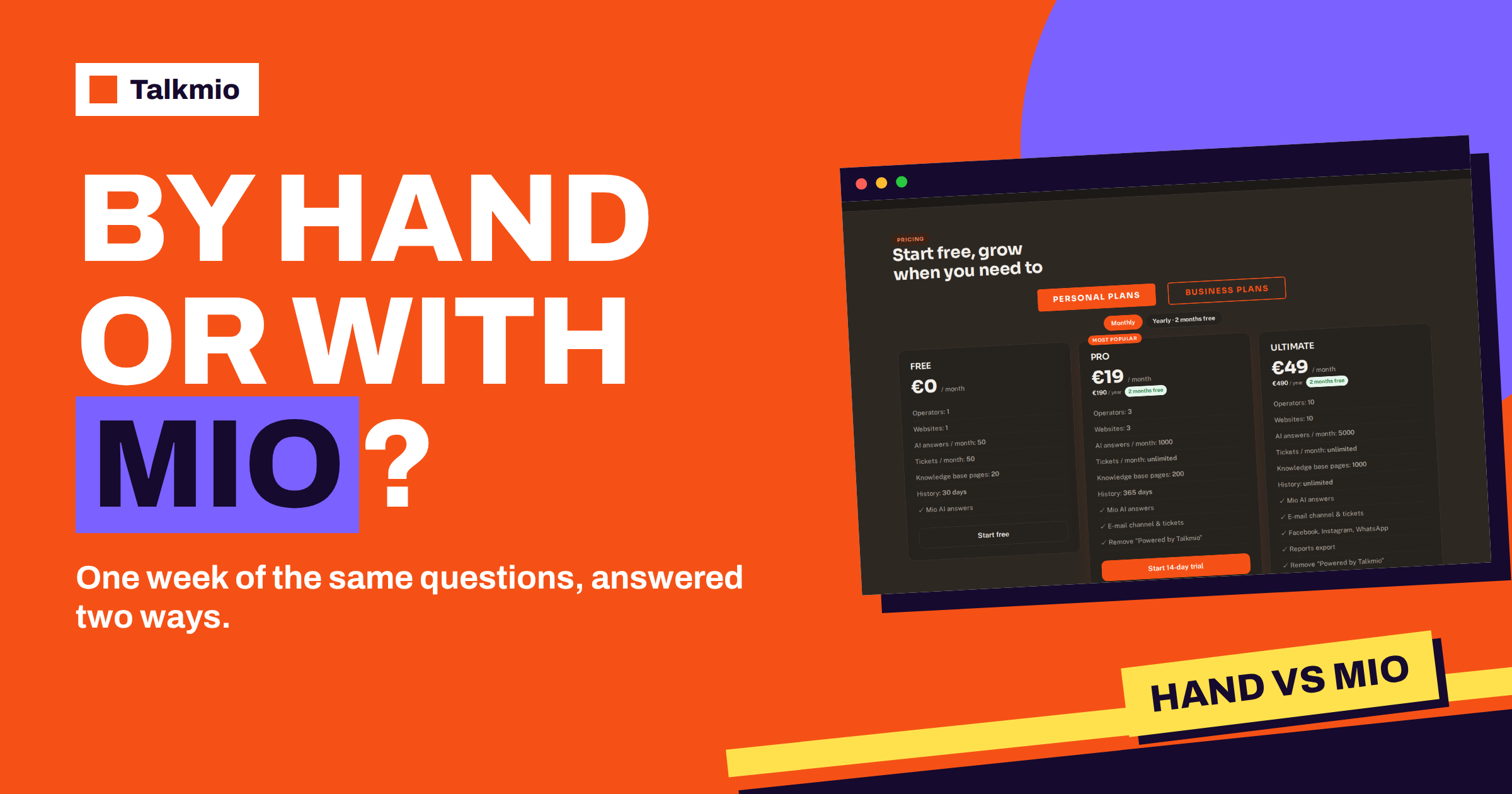
Comparing the two ways means comparing costs, and the costs are of two kinds. The manual way costs time every day and sometimes lost visitors. The Mio way costs setup time, a monthly plan if you outgrow Free, and a short weekly review. The pricing page shows what the plans include: Free has 1 operator, 1 website, 50 AI answers a month, 50 tickets, 20 knowledge base pages and 30 days of history. Pro has 3 operators, 3 websites, 1000 AI answers a month, unlimited tickets, 200 pages, 365 days of history, the e-mail channel and removal of the “Powered by Talkmio” line. Ultimate has 10 operators, 10 websites, 5000 AI answers a month, 1000 pages, unlimited history, Facebook, Instagram and WhatsApp, reports export and API access. Prices are in euros, and the pricing page says that VAT is added at checkout. Always check the current figures there.
To judge the value, count your repeated chats in a typical month and compare the number with the AI answers in each plan. If you answer chats by hand for several hours a week, the cost of a plan is likely small beside the time it frees; if you answer five chats a month, the Free plan is more than enough and the real question is whether you need the assistant at all. Our guide to estimating AI answers per month shows the calculation step by step.
Three Mistakes When Moving From Manual to Mio
- Switching everything on at once. Start with the twenty most common questions, test them in Try Mio and add topics as you gain confidence.
- Leaving old content online. If a page or file shows an old price, Mio may find it. Update or remove it, then use Re-read on the sources.
- Not telling Mio what it must never promise. Write rules in the business instructions, such as never to quote delivery dates and always to hand order questions to the team.
Avoid these three and the transition is gentle. Visitors usually notice only that answers arrive faster, and your team notices that the Inbox holds conversations worth having.
Frequently Asked Questions
Is it better to answer chats by hand or with an AI assistant?
It depends on volume and question type. Repeated questions with written answers suit Mio, which answers from your content at any hour. Complaints, custom quotes and anything that needs judgement suit a person. Most businesses use both, and Mio hands over what it should not answer.
Will Mio replace the person who answers chats?
No. Mio takes repeated questions and hands the rest to your team, according to the documentation. The person still handles orders, complaints, requests for a human and every exception. The work changes from many small interruptions to fewer real conversations.
How long does setup take compared with answering by hand?
The first week takes real effort: adding your site, writing missing pages, writing instructions and testing in Try Mio. Later weeks need a short review. Measure your own time before and after, because the saving depends on how many repeated questions you receive.
What if Mio gives a wrong answer?
Mio answers only from your content, so a wrong answer usually points to a wrong or outdated page. Check the Mio replied filter in the Inbox, fix the page, use Re-read and test the question again in Try Mio. Add rules in the business instructions for topics Mio must not answer.
Can I still reply myself in a chat Mio started?
Yes. Once a person replies, the documentation says Mio stays out of that conversation. You can reply from the Inbox at any time, and conversations that need you arrive with a “needs human” badge, a browser notification and, when nobody is online, an e-mail.
Is the Free plan enough to compare both ways?
Often yes. Free includes one operator, one website, 50 AI answers a month and 20 knowledge base pages, with no card. It is enough to teach Mio your most common questions and compare a few weeks with your manual routine.
The Bottom Line
You do not have to give up answering chats by hand; you give up answering the same question for the fortieth time. Let Mio take the repeated questions from your pages, keep the conversations that need judgement and measure the difference in your own reports. Start free with Talkmio and compare one week for yourself.