
 Lietuviškai
 Deutsch
 Français
 Русский
 Español
 Polski
 Italiano
 Українська
 Čeština
 Português
 日本語
日本語 Latviešu valoda
 Eesti
Eesti Magyar
 Bahasa Indonesia
 Türkçe
 हिन्दी
 Ελληνικά
 العربية
 ไทย
ไทย Tiếng Việt
 Română
 Bahasa Melayu
 বাংলা
বাংলা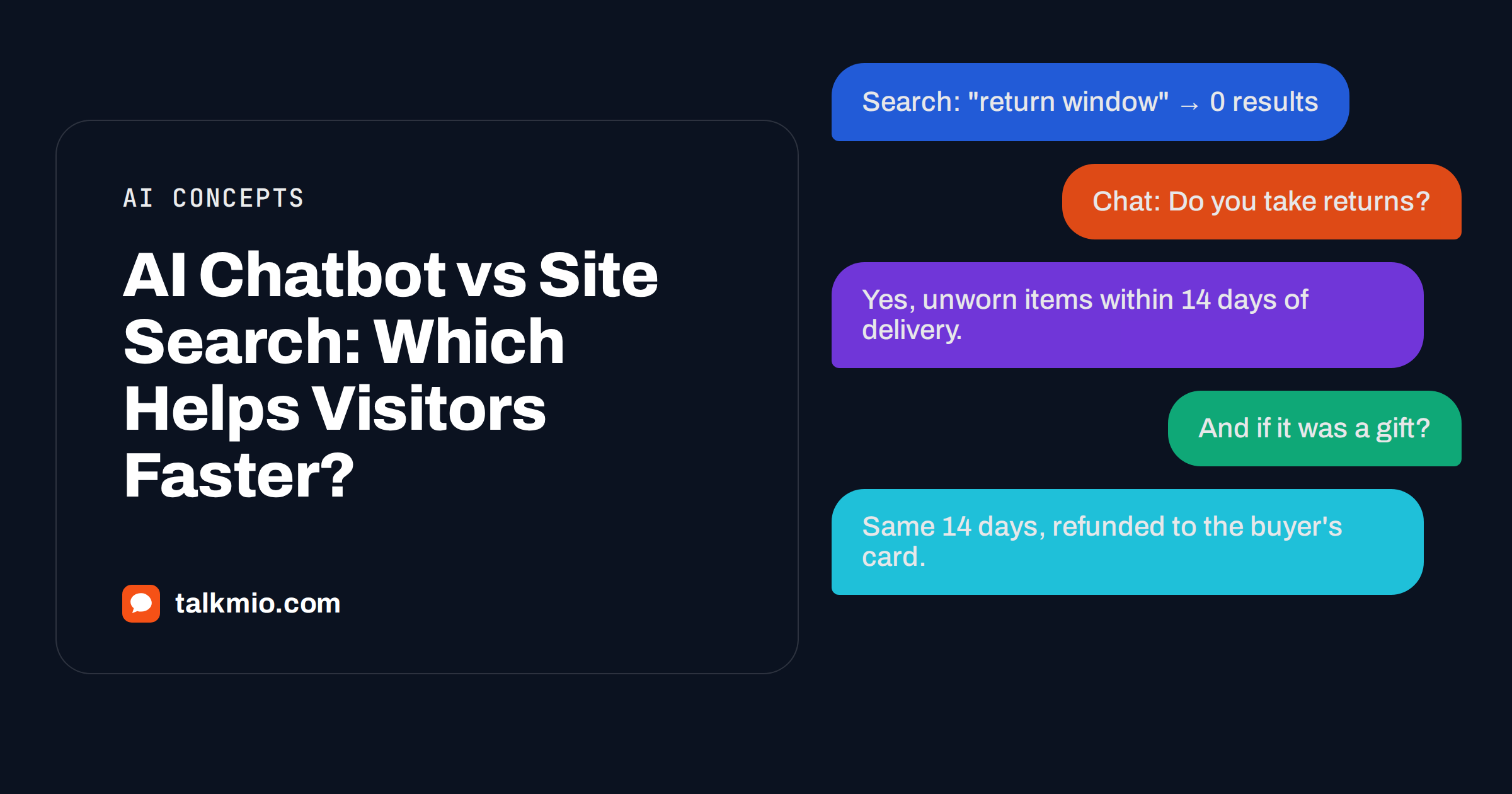
AI chatbot vs site search is a choice most websites do not have to make, but many make badly: they bolt on a search box, watch nobody use it, and conclude visitors do not have questions. Visitors have plenty of questions. A search box asks them to guess your vocabulary and then read whole pages; a chatbot grounded in those same pages lets them ask in their own words and get the relevant sentence back. The two tools answer the same underlying need in very different ways, and they fail in different ways too.
This article compares them on how visitors behave, how answers are built, what each one costs to maintain, where each one goes wrong, and when a site should run both. The examples use Mio, the AI assistant in Talkmio, because it answers only from your own content, which is the fair comparison with a search index of the same pages.
AI Chatbot vs Site Search: The Core Difference
Site search matches words. A visitor types “return window”, the engine finds pages containing those words, ranks them, and shows a list of titles and snippets. The visitor opens one, scans it, and may or may not find the sentence that says fourteen days.
An AI chatbot grounded in your content does the matching on meaning rather than exact words, pulls the relevant passages, and writes a short answer in the visitor’s language: “You can return an unworn item within 14 days of delivery. Start the return from your order page.” If the content does not cover the question, a well-built assistant says so and hands over to a person rather than guessing. Our guide on grounded AI chatbot answers explains the retrieval step in more detail.
| Aspect | Site search | Grounded AI chatbot |
|---|---|---|
| Input | Keywords in your vocabulary | A question in the visitor’s own words and language |
| Output | Ranked list of pages | A direct answer with the source passage behind it |
| Handles synonyms and typos | Only if configured | Yes, by meaning |
| Follow-up questions | No; each search starts over | Yes, within the conversation |
| Hands off to a human | No | Yes, when content does not cover it |
| Works across languages | Rarely | Yes; a Lithuanian question can be answered from an English FAQ |
| Cost to run | Usually free or built into the CMS | Plan-based; Talkmio Free includes 50 AI answers a month |
| Risk of a wrong answer | Low; it shows pages, not claims | Low when grounded and instructed; higher with an ungrounded bot |
| Browsing and discovery | Good for long lists and catalogues | Weak; it answers, it does not browse |
How Visitors Actually Use a Search Box
Usability research has looked at site search for decades, and the findings are consistent: visitors type short queries, often one or two words, they use their own vocabulary rather than yours, and they give up after a results page that does not look right. The Nielsen Norman Group’s advice on keeping search visible and simple and on search suggestions exists because plain search boxes perform badly without that help.
Two failure modes dominate. The first is the vocabulary gap: the visitor types “cancel subscription” and your page says “end your plan”. A keyword engine returns nothing. The second is the reading burden: the engine finds the right page, but the answer is in paragraph six, and the visitor skims paragraph one, decides it is the wrong page, and leaves. A chatbot closes both gaps, which is why support teams see fewer “I could not find it” tickets after adding one.
How a Grounded Chatbot Builds an Answer
In Talkmio, you add your website in Mio AI → Knowledge base. Mio reads every public page on the same domain, respecting robots.txt, and you can add single pages, Q&A pairs, free text and files in PDF, DOCX, TXT, MD, CSV or HTML up to 15 MB each. When a visitor asks something, Mio finds the passages that match the meaning of the question, writes an answer from them in the visitor’s language, and shows nothing that is not in your content. Questions in one language find answers written in another.
Business instructions set the tone and the boundaries, for example “never quote delivery dates, hand order questions to the team”. Try Mio shows, for any test question, the answer, which knowledge pieces were used and how long it took. That transparency is the practical difference between a grounded assistant and a chatbot that improvises: you can see where every answer came from before a visitor ever sees it.
Where Site Search Still Wins
Honesty matters here, because the answer is not “always use the chatbot”. Site search is better in at least four situations.
- Catalogues. A visitor who wants to see every red sofa under €600 wants a filtered list, not an answer. Product search with filters is the right tool and no chatbot replaces it.
- Known-item lookup. Someone who knows the article title or the product code wants to type it and jump. Search is faster than a conversation.
- Browsing and serendipity. Search results and category pages let a visitor discover things they did not know to ask about. A chatbot answers the question it was asked.
- Zero cost at any volume. Built-in CMS search costs nothing per query. AI answers are a plan limit: Talkmio Free includes 50 a month, Pro 1000 and Ultimate 5000, so a site with very high question volume and no support team may prefer search for the bulk and chat for the rest.
Site search also carries a lower risk of saying something wrong. It shows pages; it makes no claims. A badly built chatbot can state a price that no longer exists. A grounded one with the right instructions does not, but the burden of proof is on the vendor, which is why Try Mio exists.
Where the Chatbot Wins
- Policy and how-to questions. “Do you ship to Ireland?”, “How do I change my password?”, “Is the Pro plan monthly?” These have one right answer buried in a page, and a chatbot returns it in a sentence.
- Visitors who do not speak your site’s language. Mio replies in the visitor’s language, Lithuanian, English, German, Polish, Russian, Spanish, French and 30+ others, and the widget itself is translated.
- Follow-ups. “And if it was a gift?” makes sense after a returns question in a chat; in a search box it is a new, meaningless query.
- Escalation. When the content does not cover the question, when the visitor asks for a person, complains or asks about a specific order, Mio hands over with a “needs human” badge and a browser notification. Search leaves the visitor with an empty results page and no next step.
For a closer look at the escalation rules, see when an AI chatbot should hand off.
Maintenance: Which One Is More Work?
Site search needs synonyms, promoted results and occasional reindexing if you want it to work well, and almost nobody does that work. The result is a search box that technically exists and practically fails. The maintenance of a grounded chatbot is different in kind: the work is keeping your pages accurate. If your returns page is right, Mio’s answer is right. If you change a policy, re-read the source in the knowledge base so the assistant picks up the change. A plan limits how many pages Mio can keep: 20 on Free, 200 on Pro, 1000 on Ultimate, so large sites choose which pages matter.
The useful habit is a weekly look at the questions Mio could not answer. Each one is either a gap in your content, which you fix by writing the missing page, or a question that genuinely needs a person, which you leave to the hand-off. Our article on why an AI chatbot is not finding answers lists the common causes.
Measuring Which One Helps Visitors Faster
You can settle the AI chatbot vs site search question for your own site with three numbers. First, search exits: the share of visitors who run a search and leave within the next page view. Second, chat resolution: the share of conversations Mio answers without a hand-off, shown in Talkmio reports as the share answered by Mio alone. Third, time to answer: how long from the first message to the first useful reply, which the reports show as first-reply time. If search exits are high and chat resolution is high, the chatbot is doing work the search box could not.
Keep the comparison fair by testing the same twenty questions on both. Type each one into the search box and note whether the right page appears in the top three results. Ask Mio the same question in Try Mio and note whether the answer is correct and which page it came from. Most sites find the search box wins on product names and loses on everything phrased as a question.
Running Both Without Confusing Visitors
The practical answer for most sites is both, with clear roles. Keep search for the catalogue and the blog archive, where lists are the right output. Put the chat bubble on every page for questions, and make sure your most searched phrases exist as answerable content. A few rules keep the two from stepping on each other:
- Do not put a second chat-style search box in the header. One bubble is enough; two entry points for questions split attention.
- When search returns zero results, show a line that invites the visitor to ask in the chat. That turns a dead end into a conversation.
- Write FAQ answers as full sentences on real pages. Both the search engine and the chatbot do better with complete statements than with bullet fragments.
- Check the widget does not cover the search button on mobile; position is adjustable under Websites in Talkmio.
Frequently Asked Questions
Is an AI chatbot better than site search?
For questions, usually yes: a grounded chatbot understands meaning, works in the visitor’s language, supports follow-ups and hands over to a person when the content does not cover the question. For catalogues, known-item lookup and browsing, site search with filters is better. Most sites benefit from both with distinct roles.
Can a chatbot give a wrong answer that search would not?
An ungrounded chatbot can. A grounded one such as Mio answers only from your website, FAQ and uploaded files, never invents prices or policies, and hands over when it is not sure. You can verify any answer in Try Mio, which shows the knowledge pieces used, so wrong answers are traceable to a wrong or outdated page.
Does replacing site search with a chatbot hurt SEO?
No. Search engines index your pages, not your search box or your chat widget. Writing the complete, sentence-level answers that a chatbot needs tends to improve the pages themselves, which is good for rankings. Keep internal search if you have a large catalogue, because it is a navigation tool rather than a ranking factor.
How much does an AI chatbot cost compared with site search?
Built-in CMS search is free at any volume. Talkmio’s Free plan includes 50 AI answers a month for one website, Pro €19 a month includes 1000 and Ultimate €49 includes 5000. Sites with very high question volume and no support team sometimes keep search for the bulk and use chat for the questions search cannot answer.
Can the chatbot search my product catalogue?
It can answer questions about products whose pages it has read, such as whether an item is dishwasher-safe or what sizes exist. It does not replace filtered catalogue search for “show me every option under a price”. Keep product search for lists and let the chatbot handle the questions a list cannot answer.
How do I know which questions the chatbot could not answer?
Talkmio reports show the share of conversations answered by Mio alone and the hand-offs. Reviewing handed-off conversations each week reveals content gaps: write the missing page, re-read it in the knowledge base and the next visitor gets an answer instead of a hand-off.
The Bottom Line
AI chatbot vs site search is not a contest with one winner. Search is the right tool for lists and lookups; a grounded chatbot is the right tool for questions, follow-ups and visitors who do not share your language or vocabulary. Run both, give each a clear job, and measure search exits against chat resolution to see where visitors are actually getting help. Create a free Talkmio account, let Mio read your pages and ask it the twenty questions your search box cannot answer.