
 Lietuviškai
 Deutsch
 Français
 Русский
 Español
 Polski
 Italiano
 Українська
 Čeština
 Português
 日本語
 Latviešu valoda
 Eesti
 Magyar
 Bahasa Indonesia
 Türkçe
 हिन्दी
 Ελληνικά
 العربية
 ไทย
 Tiếng Việt
 Română
 Bahasa Melayu
 বাংলা
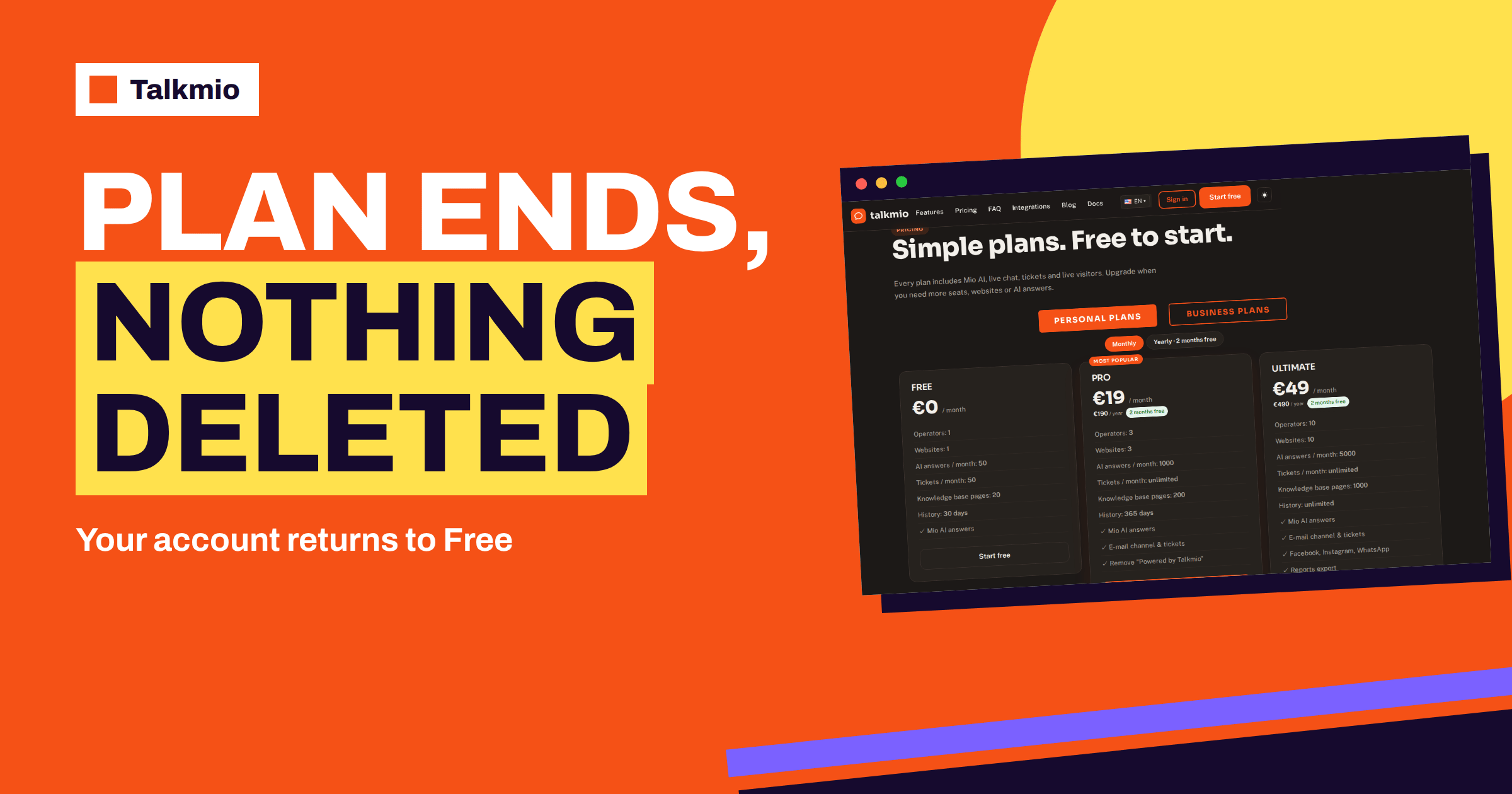
When a plan ends, most people worry about the same thing: will I lose my work? For Talkmio the documentation gives a reassuring and precise answer. When a plan ends, the account returns to the Free plan and nothing is deleted. Your knowledge base, settings and conversations stay in your account. What changes is the size of what you can use, because the Free limits apply again. This guide explains what happens when a plan ends, which limits you will meet, what the documentation does not say and how to prepare in a week so that the change is a planned step and not a surprise.
The facts come from the Talkmio documentation and pricing page. Where the pages are silent, for example about how items above the Free limits are handled, the guide says so and suggests asking support before the date, because an unplanned change is the most expensive kind.
What the Documentation Says When a Plan Ends
The statement is short. Under billing, the documentation says that when a plan ends the account returns to Free and nothing is deleted. Three things follow from it.
- The account stays. You can still sign in, open the Inbox and read your conversations.
- Your content stays. The knowledge base, the business instructions and the widget settings are not wiped.
- The limits change. Free has smaller limits than any paid plan, so some features and quantities are no longer available in the same way.
The documentation does not describe, line by line, what the system does with items that exceed the Free limits, such as a second website or knowledge base pages beyond twenty. Do not assume either that they are deleted or that they continue to work. If you have such items, ask support before your plan ends, and write down the answer. That is the single most useful step in this guide.
The Free Limits You Return To
The pricing page lists the Free plan as one operator, one website, 50 AI answers a month, 50 tickets a month, 20 knowledge base pages and 30 days of history. The table compares those limits with Pro, the most common paid plan, and suggests what to check for each.
| Item | Pro | Free | What to check before the plan ends |
|---|---|---|---|
| Operators | 3 | 1 | Who will be the single operator? Who is the Owner? |
| Websites | 3 | 1 | Which site keeps the chat? |
| AI answers per month | 1000 | 50 | Will 50 answers last? What if visitors ask more? |
| Tickets per month | Unlimited | 50 | Do you create more than 50 tickets a month? |
| Knowledge base pages | 200 | 20 | Which 20 pages matter most? |
| History | 365 days | 30 days | Do you need older conversations? Export first |
| E-mail channel and tickets | Yes | No | Where will customer e-mails go? |
| “Powered by Talkmio” | Removed | Shown | Is the line acceptable on your site? |
If you are on Ultimate or an Enterprise tier, the gaps are larger: social channels, reports export, API access and larger volumes are listed on those plans and not on Free. Read each row as a question to answer, and write the answers down.
Ways a Plan Can End
A plan can come to an end in several ordinary ways, and each is worth a short note.
You Cancel a PayPal Subscription
The documentation says PayPal renews automatically and that you cancel from your PayPal account. Cancelling stops future renewals. Because the plan ends according to the period you have paid for, do the cancellation well before the renewal date, so that nobody is charged by mistake, and keep the confirmation.
A Bank Transfer Is Not Repeated
With bank transfer you receive a proforma invoice and the plan activates when the payment arrives. If you do not pay the next proforma, the plan does not continue. Put the due dates in your calendar, and ask your accountant to flag the next invoice, so that a plan does not end by accident.
A Trial Is Not Continued
Paid plans offer a 14-day trial. If you decide not to continue, the account returns to Free. That is a normal and respectable result of a trial. Our guide to Talkmio billing and invoices covers the order and invoice flow in more detail.
A Yearly Term Reaches Its End
A yearly plan runs for twelve months. If you do not renew, or if the renewal does not go through, the plan ends at the end of the term. Check your PayPal or invoice settings a month ahead.
A Seven-Day Checklist Before the Plan Ends
Start a week before the date. The tasks are short, and together they remove most of the risk.
| Day | Task |
|---|---|
| 7 | Open the Subscription page, note your plan, usage and renewal date |
| 6 | List what exceeds the Free limits: sites, operators, pages, e-mail channel |
| 5 | Ask support how items above the Free limits are handled; keep the reply |
| 4 | Choose your 20 most important knowledge base pages; mark the rest |
| 3 | Export or copy what you need from conversations older than 30 days |
| 2 | Tell your team who keeps access and what changes for the others |
| 1 | Redirect support e-mail if the e-mail channel will stop; check the widget |
The sequence matters. First find out what is affected, then ask, then decide, then communicate. Our guide to live chat data retention helps you decide how long to keep conversations, and the general idea of a backup applies: copy first, then change.
What You Keep When a Plan Ends
According to the documentation, nothing is deleted. That means that your knowledge base sources, your business instructions, your widget settings and your conversation history remain in the account. Contacts, which hold everyone who ever wrote to you, also belong to the account. In practice, the important point is that you do not need to rebuild. If you come back to a paid plan later, you will find your work where you left it, within whatever the plan allows.
Keep this in perspective. The documentation speaks of deletion, not of availability. A conversation that you can no longer see in the Inbox, because it is older than the history limit, is a different matter from a conversation that was deleted. Ask support to explain the difference for your account, if history matters to you.
What Changes in Daily Work
On the Free plan, daily work is smaller but not different. The chat bubble still answers from your content, hands over to a person in the same situations and sends offline replies as e-mails. The changes appear at the edges.
- Volume: 50 AI answers a month is a small allowance. Check the Mio usage on the Subscription page and the reports. The documentation does not describe in detail what happens when the allowance is used, so plan for it.
- People: one operator means one person answers. If you had three, decide who stays and what the others do.
- E-mail: the Talkmio e-mail address and the tickets from forwarded e-mail belong to the paid plans. Change your forwarding so that customer e-mail reaches your normal mailbox.
- Branding: the “Powered by Talkmio” line is hidden on paid plans, so expect to see it on the free plan.
Choosing the 20 Pages That Matter
If your knowledge base has more than twenty pages, prioritise. Keep the pages that answer questions people really ask, such as delivery, prices, returns, contact details and your main services. Use the Mio replied and Unanswered filters and your reports to see which topics come up. Merge small pages into one, and use question and answer pairs for short facts. The documentation says that your plan limits how many pages Mio can keep, so the aim is a compact base of the best material. Our guide to knowledge base page limits explains how to choose.
Three Teams, Three Endings
Examples show how the same rule plays out in different businesses. A freelancer with one client site and a Pro plan finds that the chat answers about thirty questions a month. When the paid period is over, the account returns to Free, one operator and one website still fit, and 50 AI answers are enough. The freelancer saves the monthly fee and loses only the e-mail channel and the removal of the branding line. This is the easiest case.
A small shop with three operators and the e-mail channel has a harder choice. Returning to Free means one operator and no Talkmio e-mail address, so the shop forwards customer e-mail back to a normal mailbox, decides who keeps the Inbox and checks whether 50 AI answers can cover a busy month. In this case the better decision may be to stay on Pro, and the exercise in the checklist is what shows it.
An agency with ten client sites on Ultimate faces the largest gap. Free includes one website, so nine of the ten sites no longer fit the plan, even though nothing is deleted. The agency should tell its clients early, export reports for the record using the portability that its plan allows and ask support what happens to the extra sites. These three cases share one lesson: the sooner you know what exceeds the Free limits, the more choices you have.
Coming Back to a Paid Plan
If your needs grow again, upgrading is straightforward: open the Subscription page, choose a plan with monthly or yearly billing and pay with PayPal or bank transfer. With a transfer, the plan activates when the payment arrives. Because nothing was deleted, you continue where you stopped. Plan the return as carefully as the exit: check usage, estimate the AI answers and consider the yearly price, which includes two months free, if you will stay for more than ten months. The pricing page shows the current prices, and a 14-day trial is offered on paid plans.
Avoid Surprises: A Renewal Routine
Most unwelcome endings are accidents. A simple routine prevents them. Put the renewal date in a shared calendar with a reminder two weeks ahead. Name one person responsible for billing, which in Talkmio is the Owner role. Keep the last invoice where the team can find it. Once a year, before renewal, ask whether the plan is the right size: open Reports and the Subscription page, read the usage and decide to renew, resize or let the plan end on purpose.
Frequently Asked Questions
What happens to my account when a Talkmio plan ends?
According to the documentation, the account returns to the Free plan and nothing is deleted. You can still sign in, and your knowledge base, settings and conversations stay. The Free limits apply: one operator, one website, 50 AI answers a month, 50 tickets, 20 pages and 30 days of history.
Will I lose my knowledge base?
The documentation says nothing is deleted when a plan ends. The Free plan lets Mio keep 20 pages, though, so if you had more, ask support before the end date how pages above the limit are handled, and choose the 20 that matter most.
How do I stop a PayPal subscription?
Cancel it from your PayPal account, as the documentation says PayPal renews automatically and is cancelled there. Do it before the renewal date and keep the confirmation. Your plan then ends according to the period that you have already paid for.
What if I pay by bank transfer and do not pay the next invoice?
With bank transfer you receive a proforma invoice, and the plan activates when the payment arrives. If you do not pay the next one, the plan does not continue. Put due dates in your calendar so that a plan does not end by accident.
Can I upgrade again later?
Yes. Open the Subscription page, choose a plan with monthly or yearly billing and pay with PayPal or bank transfer. Because nothing is deleted when a plan ends, you continue with your existing content. Paid plans also offer a 14-day trial.
What should I do before a plan ends?
Check the Subscription page, list what exceeds the Free limits, ask support how those items are handled, choose your 20 most important pages, copy conversations older than 30 days that you need and tell your team who keeps access and what changes.
The Bottom Line
When a Talkmio plan ends, the account returns to Free and nothing is deleted, so the risk is not loss but surprise. Learn the Free limits, ask support about anything above them, choose your twenty best pages, copy what you need and tell your team. Then a plan that ends, on purpose or by accident, is a small change and not a crisis. Start free with Talkmio and keep the work you build, whatever plan you are on.